

Analytics
Send storefront page views and purchases to Google Analytics 4 and Google Ads conversions, and add your own tracking code to the hosted storefront.
Your analytics settings add tracking to the hosted storefront: Google Analytics 4, Google Ads conversion tracking, Matomo and your own JavaScript. Comecero builds the tracking scripts from these settings and the storefront loads them, so you add no code.
Change them in the dashboard under Settings > Analytics, or with Update analytics settings. The change shows on the next page load. Settings are kept per mode, so set them again in live mode.
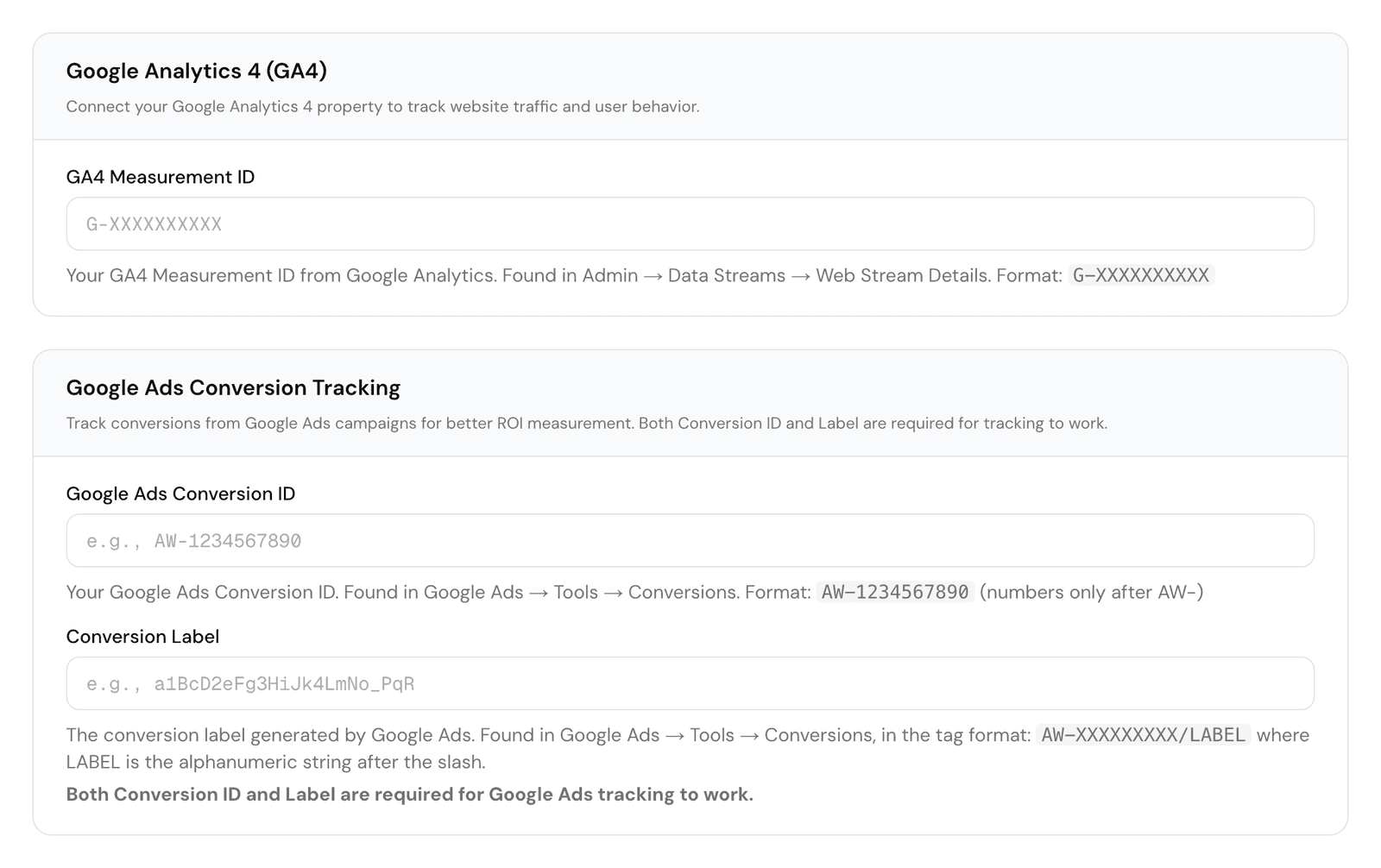
The settings
| Dashboard | API field | Format |
|---|---|---|
| GA4 Measurement ID | ga4_measurement_id | G-XXXXXXXXXX, from GA4 under Admin, Data Streams |
| Google Ads Conversion ID | google_ads_id | AW- and digits, such as AW-123456789, from Google Ads under Tools, Conversions |
| Conversion Label | google_ads_label | Letters, digits, _ and -. In the Google Ads tag AW-123456789/AbC_dEfGh-12, it is the part after the slash |
| Custom Pageview Tracking Code | pageview_tracking | Your own JavaScript, run on every page view (up to 5,000 characters) |
| Custom Conversion Tracking Code | conversion_tracking | Your own JavaScript, run once when an order is completed (up to 5,000 characters) |
A value in the wrong format is refused with 400. google_tracking_id (Universal Analytics, UA-) still exists but is deprecated, since Google retired Universal Analytics.
curl https://api.comecero.com/api/v1/settings/analytics \
  -H "Authorization: Bearer $COMECERO_TEST_TOKEN" \
  -H "Content-Type: application/json" \
  -d '{
    "ga4_measurement_id": "G-4X7KQ2M9PL",
    "google_ads_id": "AW-123456789",
    "google_ads_label": "AbC_dEfGh-12"
  }'
What the storefront sends
When either Google setting is set, the storefront loads Google's gtag.js.
Google Analytics 4, with ga4_measurement_id set:
- A page view on each storefront page, with the page path and title.
- A
purchaseevent on the receipt page, withtransaction_id(the order id),value(the order total),currency,tax,shippinganditems. Each item hasitem_id(the product id),item_name,priceandquantity.
Google Ads, with both google_ads_id and google_ads_label set:
- A
conversionevent on the receipt page, sent togoogle_ads_id/google_ads_label, withvalue(the order total),currencyandtransaction_id(the order id). With only one of the two set, nothing is sent to Google Ads.
Your own code runs on every page view (pageview_tracking) and once on the receipt page (conversion_tracking).
Tracking never loads on the card entry or customer account pages.
Matomo
To send storefront data to your own Matomo, set matomo_url (the HTTPS address of your Matomo) and matomo_site_id. send_events sends shopper events, such as add to cart, and send_transactions sends completed orders as ecommerce transactions. These two only work with Matomo. A Matomo API token (matomo_token_auth) can be saved but is never returned: has_matomo_token_auth says whether one is set.
Your own checkout
These settings only drive the hosted storefront. If you build your own checkout with the API, send page views and purchases from your own pages. The order:created webhook gives you the order id, total and items for a server-side purchase event.